


Mistakes That Can Damage Your Phone in the Humid Weather of the UAE
Mistakes That Can Damage Your Phone in the Humid Weather of the UAE
If you live in the UAE, you are probably familiar with this scene: your phone is in a cool car or building, and a few minutes later, when you enter the hot and humid air, the camera lens fogs up or you see tiny water droplets on the screen.
The problem is not just the humidity itself; the sudden temperature change and condensation can be dangerous for your phone.
New phones like iPhone and Galaxy are resistant to water with standards like IP68, but they are not 'waterproof,' and this standard does not mean resistance to steam, sauna, or very humid conditions. Even the phone's resistance to water decreases over time, with impacts and wear on the body.
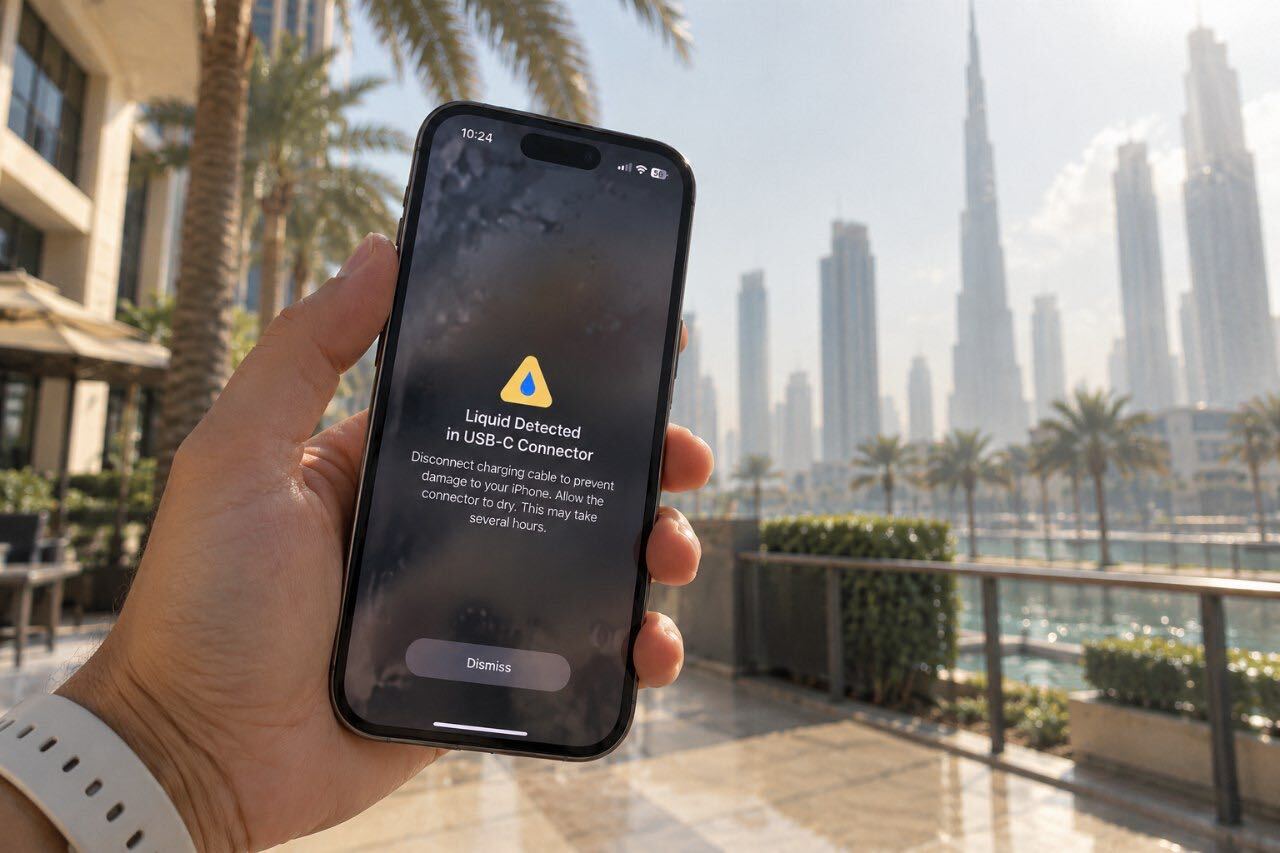
Fogging of the lens, cloudy camera image, sound or display disturbances, and moisture alerts in the charging port are possible signs of moisture entry or formation.
How to protect your phone in humid weather?
Do not place the phone directly in front of the air conditioning vent, and when entering warm air from a cold environment, give it a few minutes to adjust to the ambient temperature.
Do not take your phone into the bathroom while showering, and at the beach or poolside, it is better to keep it in a waterproof bag.
Salt, pool water, sunscreen, perfume, lotion, and even body sweat can gradually damage the body and sealing of the phone. If something other than tap water spills on the phone, wash the contaminated area with tap water and dry it with a lint-free cloth.
If the phone has fallen, the screen or back is cracked, or it has sustained serious impact, do not rely on its water resistance; the device's sealing may have been damaged.
If the 'Moisture Detected' warning appears
The first thing to do is disconnect the charging cable and do not reconnect it for testing.
Hold the phone so that the charging port is facing down and gently tap it on your palm to let out any excess water. Then place it in a dry area with proper airflow.
A fan with cool air can help, but do not use a hairdryer, compressed air, cotton swabs, or cloth inside the port.
Complete drying of the port may take several hours, and in some cases, iPhone indicates that this process can take up to 24 hours. If the phone supports wireless charging, you can use it after the body is completely dry.
And an old recommendation that is better to forget: rice!
Putting a wet phone in rice is not the recommended solution by manufacturers. Even Apple warns that rice particles may enter the device.
If your phone gets wet, the safer version is still simple: turn off the power, dry the outside of the phone, keep the port facing down, allow it to gradually dry in a cool, dry area, and do not rush to charge it.
Source: Gulf News
Comments
At least 3 characters. Shown after a moderator approves it.
No comments yet
